Managed IT Services Pricing Melbourne & MSP Costs in Australia
Guide to Managed IT Services pricing Melbourne & across Australia. Typical MSP price ranges, common pricing models, & what to compare beyond the cheapest quote.
Multi-factor authentication (MFA) has become one of the most widely recommended security controls in modern IT. And rightly so, it adds a critical second layer of verification beyond just a password.
But not all MFA is created equal, and many businesses are still relying on methods that attackers have learned to bypass with alarming ease. If your MFA strategy still relies on SMS text messages, phone calls, or email codes, it is time to rethink your approach.
Here, we unpack what is Phishing-Resistant Multi-Factor Authentication, also known as Phishing-Resistant MFA, and why it is critical for your business.
When MFA was first introduced to mainstream business use, SMS and phone calls were considered a reasonable second factor. They were easy to deploy, required no additional app or hardware, and were widely understood by end users. Email codes followed a similar logic, send a one-time code to a known address and the user proves they have access to it.
The problem is that cybercriminals have spent years developing techniques specifically designed to defeat these methods. What was once considered "good enough" is now a well-documented weak point.
SIM swapping is one of the most well-known attacks against SMS-based MFA. In this attack, a criminal contacts your mobile carrier and convinces them, through social engineering or stolen personal information, to transfer your phone number to a SIM card they control. Once they have your number, every SMS code sent to you goes directly to the attacker.
This type of attack has been used to compromise bank accounts, cryptocurrency wallets, and corporate email systems. It requires no technical skill, just a convincing phone call and a little publicly available information about the victim.
The Signalling System No. 7 (SS7) protocol is the underlying technology that mobile networks use to route calls and messages globally. It was designed decades ago with virtually no security controls. Sophisticated attackers, including state-sponsored groups, can exploit SS7 flaws to intercept SMS messages in transit without ever needing to touch your phone or contact your carrier.
This is not a theoretical vulnerability. It has been actively exploited against banks and government agencies.
Attackers using tools like Evilginx and similar adversary-in-the-middle (AiTM) frameworks can set up convincing fake login pages that sit between the victim and the legitimate website. When a user enters their credentials and MFA code on the fake page, the attacker captures both in real time and uses them immediately to authenticate to the real site, before the code expires.
This technique completely neutralises SMS, email, and phone call MFA because the attacker is using the legitimate code the moment it is generated.
If you use an authenticator app that sends push notifications, attackers who already have your password can flood your phone with approval requests at all hours, hoping you eventually tap "Approve" out of frustration or confusion. This technique, known as MFA fatigue or push bombing, has been used in high-profile breaches including the Uber and Rockstar Games incidents.
It is not limited to push-based MFA, but it highlights that convenience-first design can create exploitable behaviour patterns.
Using email as an MFA channel assumes that the email account itself is secure. But if an attacker has already compromised the email account, through a phished password, a credential leak, or a session token theft, then the MFA code being sent to that same email provides zero additional protection. You are essentially sending the key to the lock through the lock itself.
The good news is that more secure MFA options are widely available, cost-effective to deploy, and increasingly straightforward for end users to adopt.
Apps like Microsoft Authenticator, Google Authenticator, and Authy generate time-based one-time passwords (TOTP) that refresh every 30 seconds. These codes are generated locally on the device and never transmitted over SMS or a phone network, removing the SIM swap and SS7 risks entirely. This is the minimum standard we recommend for all business users today. It is free, easy to set up, and significantly more secure than SMS.
Microsoft Authenticator now supports number matching, where the user must enter a number displayed on the login screen into their app before approving. This directly defeats push bombing attacks by requiring the user to actively confirm the correct session rather than just tapping approve. Combined with additional context, such as showing the app name and approximate sign-in location, users can quickly identify a suspicious request and deny it.
Passkeys and FIDO2-compliant hardware keys, such as YubiKey, represent the gold standard in phishing-resistant authentication. These methods use public-key cryptography tied to a specific website domain, meaning they simply cannot be used on a fake phishing site. The key will not authenticate to a domain it was not registered with.
For organisations managing corporate devices through Microsoft Intune or similar MDM platforms, certificate-based authentication ties access to a trusted, managed device. The device itself becomes the second factor, and access is denied if the certificate is not present, regardless of whether credentials are correct.
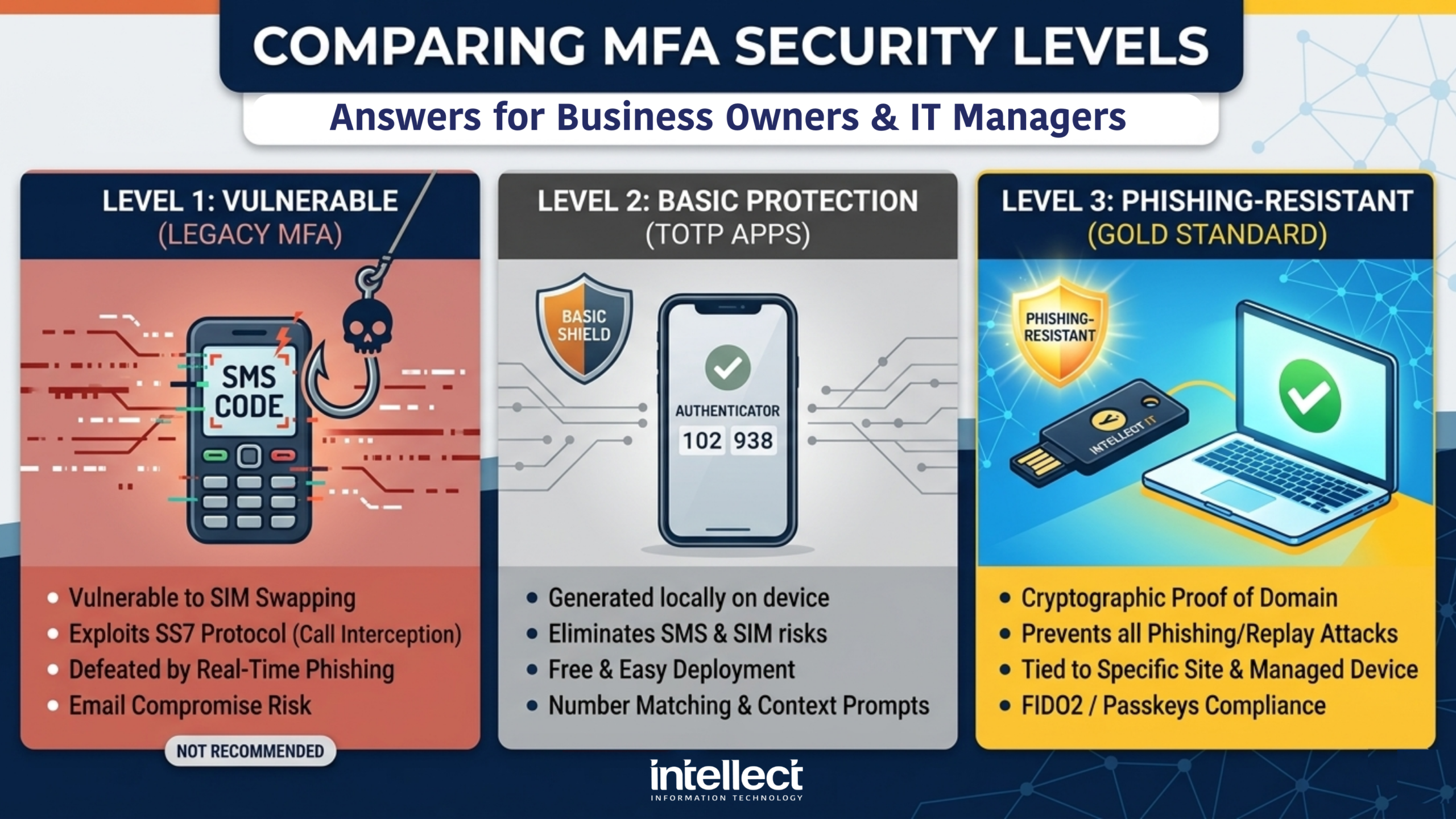
Vulnerable to SIM swapping, SS7 attacks, and real-time phishing. No longer recommended for business use.
Time-based codes eliminate SMS risks. Number matching provides protection against push bombing.
Passkeys and FIDO2 keys use cryptography to prevent phishing attacks entirely. The gold standard.
For Australian businesses, adopting phishing-resistant multi-factor authentication is not just best practice, it aligns with stronger cyber maturity expectations under the Essential Eight and guidance from the Australian Signals Directorate (ASD) and Australian Cyber Security Centre (ACSC). Organisations seeking to improve resilience, support compliance efforts, and reduce identity-based risk should move away from SMS and phone-based MFA wherever possible.
This is especially important for regulated industries, businesses handling sensitive data, and organisations working toward stronger security controls for privileged access and remote login.
The shift away from SMS and phone-based MFA is not about making life harder for your staff. It is about closing gaps that attackers are actively and routinely exploiting. The businesses that suffered significant breaches in recent years were often not without MFA, they had MFA, but it was the wrong kind.
The Australian Signals Directorate (ASD) and the Essential Eight framework both recognise that phishing-resistant MFA is the target state for organisations serious about their security posture. Simply having MFA ticked off is no longer sufficient, the type of MFA matters. If your business is still relying on SMS codes or phone calls as your second factor, now is the time to review and upgrade.
The transition is simpler than most people expect, and the protection it provides is substantial.
At Intellect IT, we help businesses assess their current authentication setup and implement stronger, phishing-resistant MFA solutions that work for their team, without disrupting day-to-day operations. Get in touch with us today to find out where your current MFA stands and what steps make sense for your environment.
Contact Us TodayPhishing-resistant multi-factor authentication is a stronger form of MFA that cannot be easily captured or replayed by attackers. It uses methods such as passkeys, FIDO2 security keys, or other cryptographic authentication that is tied to the real website or service, which makes fake login pages ineffective.
SMS codes and phone call MFA are vulnerable to attacks such as SIM swapping, real-time phishing, and interception through weak mobile network protocols. They also rely on channels that attackers can manipulate or hijack, which makes them less secure than modern authentication methods.
Yes, authenticator apps are still far better than SMS or phone calls, especially when used with number matching and contextual prompts. However, passkeys and FIDO2 hardware keys offer stronger protection against phishing because they are designed to resist credential replay and fake login pages.
The Essential Eight places a strong emphasis on phishing-resistant MFA, particularly for organisations aiming for higher maturity levels. Australian guidance increasingly points organisations towards stronger authentication methods such as passkeys and hardware security keys rather than SMS-based MFA.
Australian businesses are increasingly expected to adopt stronger authentication controls, especially where sensitive data, remote access, or privileged accounts are involved. Phishing-resistant MFA supports better alignment with the Essential Eight, ACSC guidance, and broader cyber resilience expectations.
For high-value users such as administrators, finance staff, and executives, FIDO2 hardware keys or passkeys are the strongest options. These methods are much harder to phish and provide better protection than SMS codes, phone calls, or basic push approvals.
Yes, MFA fatigue, also called push bombing, is a real attack where users are flooded with repeated approval requests until one is accepted by mistake. Number matching helps reduce this risk, but phishing-resistant MFA provides even stronger protection overall.
Yes, Intellect IT can help assess your current authentication setup and recommend stronger MFA options that fit your environment. That includes moving from SMS or phone-based MFA to passkeys, security keys, authenticator apps, or certificate-based authentication where appropriate.




Guide to Managed IT Services pricing Melbourne & across Australia. Typical MSP price ranges, common pricing models, & what to compare beyond the cheapest quote.
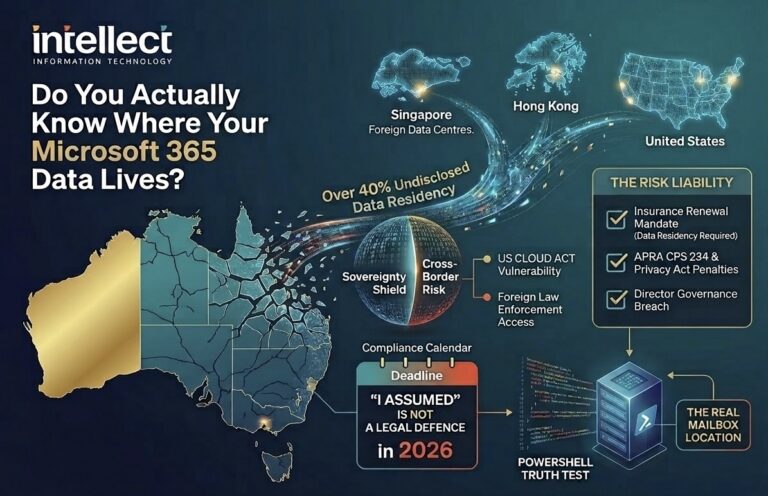
Microsoft 365 Data Sovereignty Australia: Is your data actually local? Learn why residency is critical for compliance, the US CLOUD Act, and how to verify it.

Wondering why IT pricing in Melbourne keeps changing? Get clear, director‑led advice from Intellect IT on quotes, lead times and smarter IT budgeting.