
Cloud Backup Gaps: What Native Tools Miss
At a glance
On this page
- 01 Quick answer
- 02 What to know first
- 03 Cloud backup gaps: a practical view
- 04 Why cloud backup gaps matter
- 05 Four cloud backup gaps decision areas
- 06 How to assess the right model
- 07 What a review of cloud backup gaps should cover
- 08 Business impact: from friction to control
- 09 Common pitfalls cloud backup gaps
- 10 Our delivery model: four steps
- 11 Cloud backup gaps Readiness Check
- 12 How Intellect IT can help
- 13 Frequently asked questions cloud backup gaps
QUICK ANSWER
The Shared Responsibility Trap: What Are Cloud Backup Gaps?
Cloud backup gaps occur when a business relies on cloud defaults, retention settings or snapshots without confirming whether it can independently recover critical data and systems after an incident.
The most common exposures involve assuming the cloud provider handles all recovery, missing new workloads as the environment changes, keeping backups too close to production, and running jobs without proving that restores work under pressure.
Cloud resilience is shared. Cloud providers manage their underlying infrastructure, while customers retain responsibility for their own data, configuration, access controls and recovery approach.
Key takeaways
Cloud services are engineered for availability, but availability is not recoverability.
A platform can maintain high uptime and still leave your business exposed when data is corrupted, deleted or made inaccessible through an account compromise.
- Can a compromised administrator alter the backup?
- Can we restore the full service – or only a stray file?
- Do we know how long recovery will take?
Businesses rely on a mix of default retention, snapshots and overnight success emails. In a real incident, the questions change: Can we identify a clean restore point?
- Has anyone tested the process in a way that reflects the impact of a real outage?
Why cloud backup gaps matter
Cloud backup gaps become a business issue when directors, managers and IT teams realise that a successful backup job does not automatically mean the business can recover. A platform may be available, a snapshot may exist and the overnight report may show green. But when a SharePoint site disappears, a cloud account is compromised, ransomware affects connected data or an application fails, the questions become more urgent: what can be restored, how quickly can it be restored and can the recovery copy still be trusted?
Without a clear recovery model, teams rely on assumptions. Important workloads drift outside the backup scope, retention settings are mistaken for complete protection, administrative access becomes too closely tied to production and recovery procedures are only discovered when staff are already under pressure. That is not always a single technology failure. It is a repeated operational exposure that can quietly place business continuity at risk.
Cloud backup gaps give organisations a practical way to identify where assumed protection falls short of proven recovery. The objective is not to add more software for its own sake. It is to make sure critical business data, cloud services and recovery processes are visible, protected and tested against the real impact of downtime.
Director’s perspective
“A green backup report is not a resilience strategy. The real test is whether the business can recover when its normal cloud environment or administrator access can no longer be trusted.”
Max Soukhomlinov Technical Expert & ICT Leader, Intellect IT
For busy Melbourne businesses, the goal is not to collect more backup tools or navigate multiple cloud dashboards. It is to protect core operations, reduce uncertainty during an incident and give leadership confidence that recovery can be managed in a controlled, business-approved order.
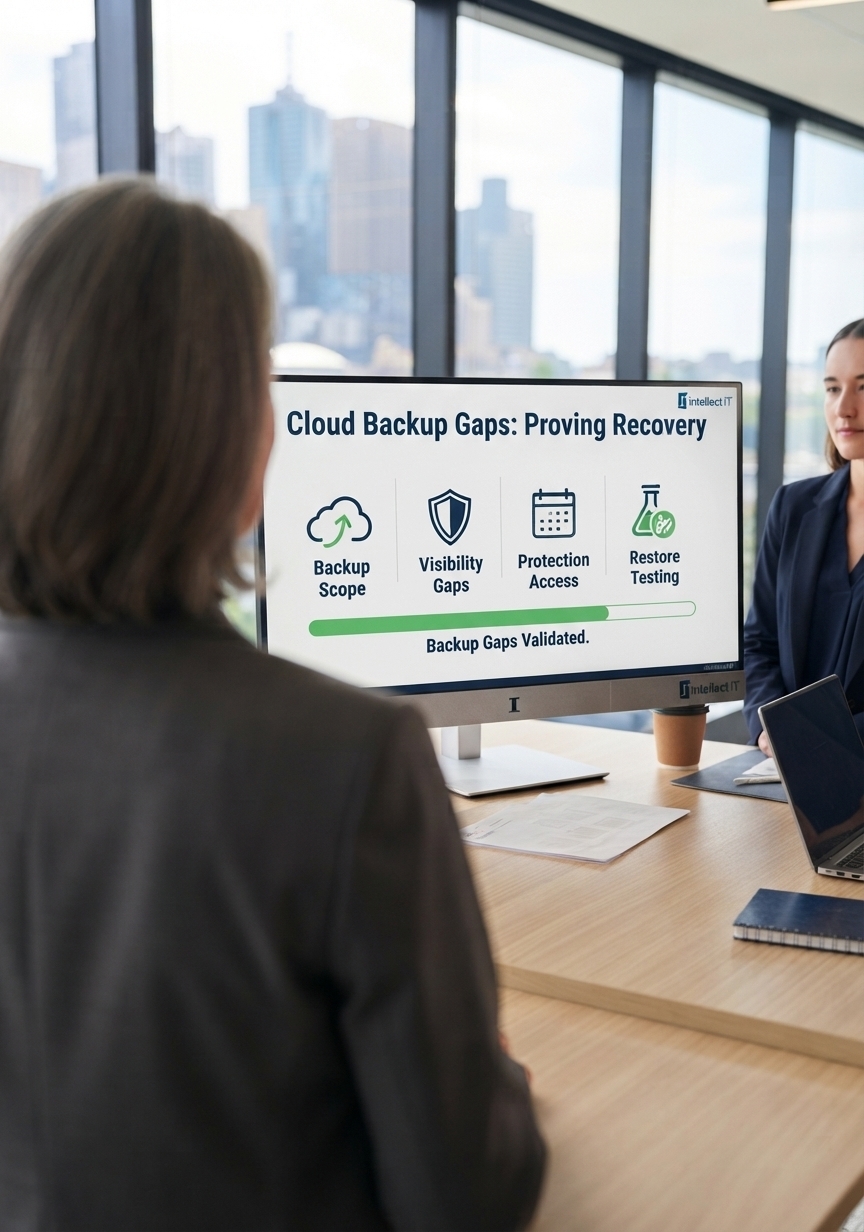
Four cloud backup gaps decision areas
A practical review of cloud backup gaps should focus on four decision areas:
- Recovery: Confirm that critical files, mailboxes, SharePoint sites, databases, cloud workloads and business applications can be restored within agreed timeframes. A completed backup job is not enough if recovery is too slow, too broad or has never been tested.
- Visibility: Review whether your business can identify what is protected, what is not and who owns the decision. New Microsoft 365 users, SharePoint sites, cloud workloads and SaaS applications can quickly create blind spots when protection policies do not keep pace with change.
- Protection: Check whether production and backup administration are too closely connected. A compromised administrator account should not be able to easily disable backup jobs, change retention or remove recovery copies. Separate access, least privilege, MFA and protected off-site or immutable copies all help reduce that risk.
- Recovery readiness: Test whether the business can restore a complete service, not simply a file or database. Identity permissions, DNS, network settings, certificates, API connections, virtual machines and third-party integrations can all be needed before staff and customers can use a recovered system.
How to assess the right model
The right cloud protection model starts with the way your organisation needs to recover—not simply whether a backup product is installed or a cloud platform has a retention setting enabled.
-
Step 01Map Critical Systems and Recovery Priorities
-
Step 02Confirm Coverage and Retention
-
Step 03Review Access and Recovery Protection
-
Step 04Test Realistic Restore Scenarios
-
Step 05Set the Right Protection Model
- Map critical systems and recovery priorities: Identify the Microsoft 365, cloud, SaaS, server and line-of-business systems that would materially affect operations if they became unavailable. Include email, documents, finance, customer records, collaboration platforms and customer-facing applications.
- Confirm coverage and retention: Check exactly which mailboxes, SharePoint sites, OneDrive accounts, databases, virtual machines, cloud workloads and SaaS applications are included. Confirm that retention periods reflect the business’s operational, contractual and compliance requirements.
- Review access and recovery protection: Check whether backup administration relies on the same high-privilege credentials used in production. Review MFA, least-privilege access, separate administration, off-site copies and immutable protection options where appropriate.
- Test realistic restore scenarios: Test more than a single file restore. Validate how long it takes to recover key services, confirm application dependencies and identify whether staff can access the recovered service after identity, network and configuration requirements are considered.
- Set the right protection model: Decide which workloads need managed backup and recovery, which require independent recovery copies and which need additional architectural improvement because the business impact of downtime is higher.
What a review of cloud backup gaps should cover
A review of cloud backup gaps should focus on the practical and technical areas that determine whether your organisation can genuinely recover under pressure:
- Critical workload inventory: Identify the cloud platforms, SaaS applications, Microsoft 365 services, servers, endpoints and business systems that hold important operational, financial, customer or compliance-related data.
- Backup coverage and retention: Confirm what is protected, how often it is backed up, how long it is retained and whether individual files, mailboxes, SharePoint sites, databases and complete workloads can be restored when required.
- Administrative access controls: Review identity management, MFA, least-privilege access and role-based permissions around backup configuration, retention and recovery administration.
- Separation from production: Assess whether backup data, credentials and recovery controls are sufficiently separated from the live production environment to reduce the impact of a compromised cloud account or administrator.
- Monitoring and alerts: Review who receives alerts for failed jobs, missed workloads, suspicious configuration changes, large-scale deletion events or unusual activity affecting protected data.
- Recovery objectives: Document Recovery Time Objectives and Recovery Point Objectives for critical systems, based on the business impact of downtime and data loss.
- Application dependencies: Identify the systems, identity permissions, DNS, network settings, certificates, integrations and third-party services required to return a recovered workload to normal operation.
- Restore-testing evidence: Review completed restore tests, time-to-recover results, lessons learned and whether testing reflects a realistic ransomware, account-compromise or service-disruption scenario.
- Australian cyber guidance alignment: Consider how your backup, recovery and access controls support relevant Australian Cyber Security Centre (ACSC) guidance, including regular backups and tested restoration as part of a broader resilience approach.
- Ongoing operational ownership: Define responsibility for monitoring backup activity, reviewing exceptions, maintaining recovery documentation, testing restores and escalating issues before they become business interruptions.
Cloud backup gaps are straightforward in principle. The business value comes from consistently applying the right protection and recovery controls to the systems and data your organisation depends on most.
Business impact: from friction to control cloud backup gaps
The goal is not to add another complex technology layer for its own sake. It is to reduce uncertainty and bring control to the moment an incident threatens normal operations.
A well-managed approach to cloud backup gaps can deliver:
- Clearer visibility and accountability: Leadership gains a practical view of what is protected, where material gaps exist and who is responsible for the next action.
- Faster, controlled recovery: Technical teams can restore essential systems in a business-approved sequence rather than deciding what matters most while an incident is already underway.
- Better recovery confidence: Meaningful restore testing gives the business evidence that critical data and services can be recovered within an agreed timeframe.
- Stronger protection across mixed environments: Teams working across Melbourne offices, remote staff, Microsoft 365, cloud infrastructure and SaaS platforms can apply a more consistent recovery standard.
- Less operational drag: Clear recovery ownership, monitoring and runbooks reduce the reliance on scattered tools, undocumented processes and one person’s knowledge.
- More defensible decision-making: Documented recovery objectives and tested processes can provide useful evidence for leadership, insurers, clients and auditors where required.
Consider the alternative. Relying on unverified backups can leave the business exposed to extended downtime, lost productivity, customer disruption and difficult decisions made under pressure.
Addressing cloud backup gaps replaces those assumptions with a defined recovery model. Leadership agrees which systems are critical, how long the business can operate without them and what level of data loss is acceptable before an incident occurs.
Common pitfalls cloud backup gaps
The most common mistake is assuming that regular backup-completion emails mean the business can recover everything safely. They do not. A sound cloud protection strategy needs to look beyond routine backup jobs and consider recovery requirements, access controls, isolation, monitoring, dependencies and proof through testing.
- Treating retention as complete backup: Recycle bins, version history and default retention settings can help with day-to-day recovery, but they do not automatically meet every business requirement for protected, independently recoverable data.
- Assuming availability guarantees recovery: Cloud platforms can be highly available while the business still faces data loss, accidental deletion, account compromise, ransomware or configuration-related recovery issues.
- Giving production administrators unrestricted backup access: If the same privileged accounts can manage production systems and delete or alter backup copies, a single compromise can have a much larger impact.
- Focusing only on email: SharePoint, OneDrive, Teams-connected content, cloud applications, databases, CRM platforms, finance systems and other SaaS tools can hold equally important business data.
- Running backups without testing restores: A successful job only confirms that a process ran. It does not prove that the right data, applications and dependencies can be restored within the required timeframe.
- Restoring data but not the service: Recovering a database or file archive may not restore normal operations if identity, permissions, networking, DNS, certificates, applications and integrations are not included in the recovery plan.
- Selecting technology before defining the requirement: The right backup platform should follow your recovery objectives, business priorities and risk profile—not a generic product comparison.
Assumed Cloud Protection vs Proven Cloud Recovery
| Area | Assumed Cloud Protection | Proven Cloud Recovery |
|---|---|---|
| Primary focus | Relying on platform defaults, snapshots or successful backup reports | Restoring critical data and services within business-approved recovery objectives |
| Coverage | Protection is assumed from individual platform settings | Critical cloud, SaaS, Microsoft 365 and infrastructure workloads are documented and reviewed |
| Identity and access | Production administrators can often manage backup configuration and retention | Backup access is restricted through separate administration, least privilege and MFA |
| Recovery scope | Focus is placed on recovering files or database copies | Recovery planning includes data, applications, identity, configuration, network and integrations |
| Recovery validation | Recovery is assumed from automated job-completion logs | Recovery is regularly validated through structured restore testing and documented runbooks |
How Intellect IT closes cloud backup gaps
Phase 1 – Discover what matters
- Identify critical workloads: We map the Microsoft 365, cloud, SaaS, server and business systems your organisation depends on most, including email, SharePoint, OneDrive, finance platforms, customer data and cloud applications.
- Understand business priorities: We work with your team to identify what stops the business when unavailable, how much downtime is acceptable and what level of data loss the organisation can tolerate.
- Map recovery dependencies: We identify the services around your data that need to be recovered as well, including identity, permissions, virtual machines, network settings, DNS, certificates, integrations and third-party platforms.
Phase 2 – Identify cloud backup gaps
- Review coverage and retention: We assess which cloud workloads, mailboxes, SharePoint sites, OneDrive accounts, databases, applications and SaaS platforms are protected—and identify what may be missing, excluded or retained for too short a period.
- Assess access and isolation: We review whether production administrators can alter, disable or delete backup settings and recovery copies, then identify opportunities for separate credentials, least-privilege access, MFA and protected recovery data.
- Check visibility and ownership: We review backup reporting, alerting, exception management and internal ownership so your business can clearly see what is protected, what is not and who is responsible for action.
Phase 3 – Design the right protection model
- Set recovery objectives: We help define practical Recovery Time Objectives and Recovery Point Objectives around business impact, so technical protection is aligned with the systems and information your organisation cannot afford to lose.
- Build protected recovery paths: We design a recovery model that can include Microsoft 365 protection, cloud workload backup, off-site copies, appropriate immutable storage options, separate administration and documented recovery runbooks.
- Prioritise recovery order: We establish the order in which critical applications, data and dependencies should be recovered, helping your technical team restore services in a business-approved sequence rather than making decisions under pressure.
Phase 4 – Implement, monitor and test
- Implement practical controls: Our Melbourne technical team configures the agreed backup, recovery, access-control and monitoring arrangements with a focus on maintaining normal business operations.
- Monitor protection and exceptions: We establish oversight for backup activity, failed jobs, missed workloads, suspicious changes and recovery exceptions so problems are identified before they become a business interruption.
- Validate recovery capability: We plan and carry out meaningful restore testing to confirm that critical data, applications and dependencies can be recovered within the required timeframe.
The goal is not simply to complete backup jobs. It is to close cloud backup gaps and give your organisation a proven, practical path back to operation when it matters.
Interactive check
Cloud Backup Gaps Readiness Check
Answer four quick questions to identify whether your cloud protection is based on proven recovery capability or assumptions that could fail when the business needs data back.
Can you confirm which Microsoft 365, cloud, SaaS and business-critical workloads are protected—not simply that your backup dashboard is green?
If a production administrator account was compromised, could that same account alter backup retention, disable backup jobs or delete recovery copies?
Have you tested whether critical data and systems can be restored within an agreed timeframe, rather than relying only on backup completion emails?
Can you recover a complete business service—including data, user access, configuration and key dependencies—not just an individual file or database?
Your cloud backup position
Answer all four questions to see your directional result.
This is a quick directional check, not a detailed backup or cyber security assessment.
Decision support
What does your current cloud protection model look like?
Select the description closest to your current position.
Fast answers
Common cloud backup gaps questions
Tap a question for a short, practical answer.
Are native cloud backup tools enough?
Why is a green backup report not enough?
What should a restore test include?
Why should backup access be separated from production access?
How Intellect IT can help
At Intellect IT, we help Melbourne businesses identify and close cloud backup gaps before an incident exposes them. Our focus is on practical recovery: understanding what matters to the business, what is protected today and whether critical systems can be restored when normal cloud access, administrator accounts or production environments cannot be trusted.
A sound cloud protection model goes beyond routine backup jobs, default retention settings and green dashboard reports. We assess your current backup architecture, identify coverage and ownership gaps, review access controls and administrative separation, and confirm whether recovery copies are appropriately protected from production risk.
From there, our Melbourne technical team can help design and manage a recovery approach across Microsoft 365, cloud workloads, SaaS platforms, virtual servers and local infrastructure. This may include backup policy and retention planning, off-site or immutable recovery options, separate backup administration, monitoring and alerts, documented recovery runbooks, and meaningful restore testing.
Our director-led managed IT services can also support your broader technology environment, including cloud services, Microsoft 365, cybersecurity, device management, business continuity and day-to-day technical support.
The outcome is not simply completed backup logs. It is clearer visibility of what is protected, stronger control over recovery access and a proven path to restore critical data and services when the business needs them most.
Talk to Intellect IT about a Cloud Protection Readiness Check.
QUESTIONS, ANSWERED
Frequently asked questions
FAQs cloud backup gaps
What should a business recover first after a cloud backup incident?
How do we know whether our cloud backup is genuinely protected from ransomware?
A ransomware-ready cloud backup design limits the ability of a compromised production account to alter, encrypt or delete recovery data. It should include restricted backup administration, multi-factor authentication, appropriate retention, protected off-site or immutable copies where needed, monitoring for suspicious changes and regular restore testing. The proof is not the tool name – it is whether a clean recovery point can be accessed and restored when production systems cannot be trusted.
How often should cloud backup recovery be tested?
Recovery testing should happen regularly and whenever a material system, cloud platform, application or recovery process changes. The right frequency depends on business criticality, but the test should confirm more than a single file restore. It should verify that important data, settings, access requirements and key dependencies can be recovered within the organisation’s agreed recovery timeframe.

Ready when you are
Ready to experience
IT that just works?
Talk to an IntellectIT specialist. No obligation, no sales pitch, just honest advice for your business.