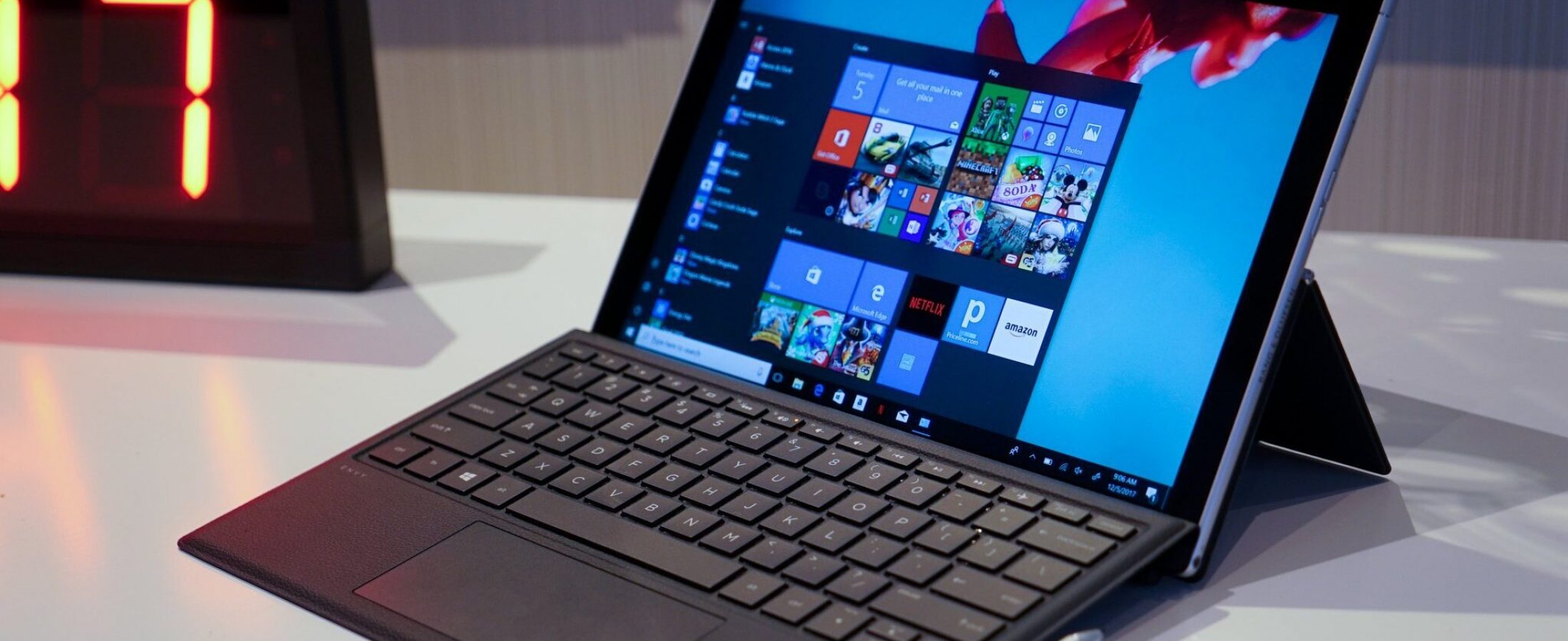
In our two decades of supporting Melbourne businesses with IT infrastructure, few developments have generated as much quiet disruption as Windows on ARM. At Intellect IT, we’ve spent the last 18 months rigorously evaluating ARM-based Windows devices – including hands-on testing with the Dell Latitude 7455 powered by Snapdragon X Elite – to determine if they’re truly ready for mission-critical production environments.
This assessment dives into architecture, performance, compatibility, and future readiness, helping Melbourne organisations make informed decisions about adopting Windows on ARM.
Understanding ARM Architecture
ARM represents a fundamental shift from the x86 architecture that has dominated desktop computing for decades. Unlike traditional processors from Intel and AMD, ARM chips are built around a RISC (Reduced Instruction Set Computing) design, which prioritises efficiency over instruction complexity.
H3: RISC vs CISC: The Core Difference
Traditional x86 processors use CISC (Complex Instruction Set Computing), allowing single instructions to perform multiple operations. While powerful, this approach consumes more power and generates more heat. ARM’s RISC model uses simpler, more streamlined instructions, enabling faster processing per watt – a critical advantage for mobile and battery-dependent workloads.
H3: Evolution of ARM in Windows
Microsoft first introduced Windows RT in 2012, limited to ARM devices but incompatible with x86 applications. It failed due to app restrictions. Fast forward to 2025, and Windows 11 on ARM natively supports x86 and x64 emulation, alongside growing native ARM64 application support, making it a viable enterprise contender.
The Compelling Advantages
Organisations in Melbourne are increasingly drawn to ARM not for raw performance alone, but for operational benefits that translate directly into productivity and cost savings.
H3: Battery Life and Always-Connected Computing
ARM devices regularly achieve 18–24 hours of real-world usage. The Dell Latitude 7455, for instance, sustained full workloads – including Teams calls, Office apps, and browser tabs – without charging for over a day. Integrated 5G modems enable true always-on, always-connected functionality, ideal for field staff and hybrid workers.
H3: Thermal Efficiency and Fanless Designs
With lower power draw comes reduced heat. Many ARM devices operate entirely fanless, resulting in silent operation – valuable in quiet office environments or boardrooms.
H3: Instant Wake and System Responsiveness
Similar to smartphones, ARM devices resume instantly from sleep. Boot times are consistently under 10 seconds, reducing downtime between shifts and improving user satisfaction.
Current Considerations
Despite significant progress, Windows on ARM isn’t universally compatible. Organisations must evaluate legacy dependencies carefully.
H3: Application Compatibility
While mainstream apps like Microsoft 365, Edge, and Adobe Reader run smoothly through emulation, some specialist software – particularly older line-of-business applications, certain antivirus suites, and kernel-level drivers – may not function correctly. Virtualisation tools like VMware Workstation are also not yet available.
However, native support is expanding rapidly. Applications such as Chrome, Slack, and Zoom now offer ARM64 builds, delivering optimal performance.
H3: Performance Under Emulation
x86 emulation is efficient but not flawless. CPU-intensive tasks like large Excel calculations or complex PowerPoint rendering may lag slightly compared to native x64 environments. Native ARM64 applications, by contrast, often outperform their x64 counterparts.
Looking Ahead
Microsoft and Qualcomm continue to invest heavily in the ARM ecosystem. With the Snapdragon X Elite delivering up to 40% better performance than previous generations, and OEMs like Dell, Lenovo, and HP expanding their ARM device portfolios, the trajectory is clear.
We anticipate full parity with x86 in 2–3 years, especially as developers prioritise native ARM64 compilation.
Recommendation
For most knowledge workers – especially those using cloud-based tools, Microsoft 365, and web applications – Windows on ARM devices are production-ready today. We recommend pilot deployments starting with sales teams, consultants, and field engineers who benefit most from long battery life and connectivity.
Organisations with niche software requirements should conduct proof-of-concept testing before broad rollout.
Conclusion
Windows on ARM represents a significant evolution in enterprise computing, offering compelling advantages in mobility, battery life, and user experience. The platform has matured significantly, and with major software vendors actively developing ARM-native support, it’s positioned to become a mainstream option for enterprise deployments in 2025. As organisations prepare for Windows 10 end of life, this transition point offers an ideal opportunity to evaluate ARM-based systems as part of their Windows 11 migration strategy.
As Intellect IT evaluates emerging technologies, we’ll monitor developments in this space and share our hands-on experiences. The upcoming hardware refresh cycle and expanding software support could mark a turning point for enterprise adoption of Windows on ARM devices.
FAQs
Can Windows on ARM run all my existing software?
Most mainstream business applications—including Microsoft 365, web browsers, and PDF tools—run seamlessly via emulation. However, some older or specialised software, particularly those requiring kernel-mode drivers or virtualisation, may not be compatible. Always test mission-critical apps before deployment.
Is performance on ARM comparable to Intel or AMD?
For everyday office productivity, yes – especially with native ARM64 apps. Emulated x86 applications perform well but may show minor lag under heavy computational loads. Native performance, particularly in AI-accelerated tasks, is competitive with current-gen x64 chips.
Are ARM devices more expensive?
Pricing is now comparable. Entry-level ARM laptops start around $1,400, while premium models like the Dell Latitude 7455 with Snapdragon X Elite cost between $2,200 and $2,800 – on par with similar-spec x64 devices.
Should I wait before adopting Windows on ARM?
If your workforce relies heavily on cloud and web tools, adoption can begin now. For complex legacy environments, a targeted pilot is advisable. Waiting indefinitely risks missing out on efficiency gains already available today.